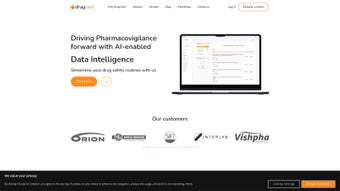

Download DrugCard – AI‑Powered Pharma Literature Screening Tool
Overview
DrugCard is a next‑generation, AI‑driven solution built specifically for the pharmaceutical industry’s local literature screening needs. In an era where drug safety and regulatory compliance are non‑negotiable, companies must continuously monitor medical journals, safety reports, and market‑specific publications across multiple languages and jurisdictions. DrugCard tackles this challenge by delivering a streamlined, secure, and fully traceable workflow that keeps drug safety routines up‑to‑date without demanding heavy capital outlay.
The platform acts as a virtual “research assistant,” crawling more than 35 countries’ medical literature in over 100 languages, extracting relevant safety signals, and presenting them in an intuitive dashboard. Whether you are a Contract Research Organization (CRO) juggling several client projects, a Marketing Authorization Holder (MAH) maintaining post‑marketing surveillance, or an independent freelancer seeking a reliable screening companion, DrugCard scales to match your workload. Its cloud‑based architecture ensures that every screen is logged, auditable, and instantly shareable across teams, supporting both local compliance requirements and global harmonization initiatives.
Beyond compliance, DrugCard’s value proposition includes cost efficiency, reduced manual effort, and faster time‑to‑insight. By automating repetitive data‑extraction tasks and providing real‑time alerts on emerging safety information, the tool helps pharmacovigilance professionals focus on interpretation and decision‑making rather than on labor‑intensive literature hunts. In short, DrugCard delivers a transparent, traceable, and scalable solution that enhances drug safety workflows while staying affordable for companies of any size.
From a strategic perspective, the tool also supports risk‑based monitoring by highlighting emerging trends before they become regulatory issues. Its AI engine continuously learns from user feedback, improving relevance ranking and reducing false‑positive hits over time. For organizations that must adhere to EMA, FDA, and ICH GVP guidelines, the built‑in audit trail eliminates the need for separate documentation processes, thereby shortening audit preparation cycles and freeing resources for higher‑value activities.
Key Features and How to Install the Tool
- AI‑powered semantic search across 100+ languages.
- Coverage of medical journals, conference abstracts, and regulatory bulletins from 35+ countries.
- Real‑time safety signal detection with customizable alert thresholds.
- Full audit trail and traceability for every screening activity.
- Role‑based access control for CROs, MAHs, and freelance users.
- Scalable cloud infrastructure that grows with your project portfolio.
- Integration hooks for popular pharmacovigilance platforms (e.g., Argus, ArisGlobal).
- Export options in CSV, PDF, and XML for regulatory submissions.
- Multi‑project dashboard with KPI visualizations.
- 24/7 support and quarterly AI model updates to keep pace with new literature sources.
Installation & Initial Setup
DrugCard is delivered as a web‑based SaaS application, eliminating the need for local installation on Windows, macOS, or Linux machines. To get started, follow these steps:
- Create an account: Visit the official DrugCard portal and click “Sign Up.” Provide corporate details, select a subscription tier (Free trial, Standard, or Enterprise), and verify your email address.
- Configure your workspace: After logging in, the onboarding wizard guides you through setting up projects, defining screening criteria (e.g., therapeutic area, geographic focus), and assigning user roles.
- Connect data sources: Use the “Data Sources” tab to link external bibliographic databases (PubMed, Embase, local journal repositories) or upload custom XML feeds. DrugCard’s AI engine will automatically map metadata fields.
- Set alert preferences: Define trigger keywords, severity levels, and notification channels (email, Slack, Microsoft Teams). The system will push real‑time alerts when new relevant articles appear.
- Run your first screen: Click “Start Screening,” and the AI will begin crawling selected sources. Results populate the dashboard, where you can review abstracts, tag items, and add notes.
- Fine‑tune relevance models: After the initial run, use the “Model Training” panel to flag false positives or missed articles. The system incorporates these inputs to improve future relevance scoring.
- Schedule recurring jobs: Set up automated nightly or weekly screenings to ensure continuous coverage without manual intervention.
Because the solution runs entirely in the cloud, updates are seamless—new language models, journal additions, and algorithm improvements are pushed automatically without user intervention. For organizations that prefer an on‑premise deployment due to strict data‑privacy policies, DrugCard offers a secure Docker‑based package that can be installed on private servers running Windows Server, Red Hat Enterprise Linux, or Ubuntu. The on‑premise installer includes a step‑by‑step guide and a 24‑hour technical support window to ensure a smooth rollout.
Power users can also leverage the RESTful API to embed screening results directly into internal dashboards or trigger downstream analytics pipelines. Comprehensive documentation, sample code snippets, and a sandbox environment are provided to accelerate integration and reduce time‑to‑value.
Compatibility, Pros & Cons
DrugCard is compatible with any modern web browser (Chrome, Edge, Firefox, Safari) on Windows 10/11, macOS 12+, Linux distributions, as well as mobile browsers on Android 9+ and iOS 13+. The optional on‑premise version supports Windows Server 2019/2022, Red Hat Enterprise Linux 8, and Ubuntu 20.04 LTS, ensuring that enterprises with strict IT policies can still leverage the platform.
Pros
- Comprehensive language support: Over 100 languages enable truly global literature coverage.
- AI‑driven relevance ranking: Reduces false positives and saves analysts hours of manual triage.
- Scalable architecture: Handles a single freelancer’s workload to a multinational CRO’s multi‑project portfolio.
- Regulatory‑ready audit trail: Meets EMA, FDA, and ICH GVP documentation standards.
- Cost‑effective subscription model: No upfront hardware or licensing fees; pay‑as‑you‑grow pricing.
- Seamless integrations: Pre‑built connectors and open APIs simplify data exchange with Argus, ArisGlobal, Veeva Vault, and custom BI tools.
- Regular AI updates: Quarterly model refreshes keep the system aligned with emerging literature sources.
Cons
- Learning curve for AI customization: Advanced users may need time to fine‑tune keyword models for niche therapeutic areas.
- Internet dependency for SaaS: Organizations with limited bandwidth may experience slower initial crawls.
- Limited offline export options: Bulk export of raw XML requires a paid add‑on.
- On‑premise deployment cost: While available, the Docker package incurs additional licensing fees.
- Initial configuration effort: Setting up data source mappings and alert thresholds can take several hours for first‑time users.
FAQ & Conclusion – Why Download DrugCard Today?
Is there a free trial available for DrugCard?
Yes. New users can activate a 14‑day free trial with full feature access, allowing you to evaluate AI screening performance before committing to a paid plan. The trial includes unlimited project creation, full language support, and access to the real‑time alert system.
How does DrugCard ensure data security and privacy?
All data in the SaaS version is encrypted in transit (TLS 1.3) and at rest (AES‑256). For on‑premise deployments, the Docker image runs within a hardened container, giving you full control over network and storage configurations. Additionally, role‑based access control and audit logs meet industry‑standard security certifications.
Can DrugCard integrate with existing pharmacovigilance systems?
Absolutely. The platform offers RESTful APIs and pre‑built connectors for Argus Safety, ArisGlobal, Veeva Vault, and other major PV suites. Data can be exported automatically in CSV, PDF, or XML formats to match the submission requirements of regulatory authorities.
What support options are available for new users?
DrugCard provides 24/7 email and live‑chat support, a dedicated onboarding specialist for enterprise contracts, and an extensive knowledge base that includes video tutorials, best‑practice guides, and a community forum where users share screening strategies.
Is DrugCard suitable for small freelance pharmacovigilance consultants?
Yes. The “Freelancer” tier offers a low‑cost subscription with unlimited literature screening, multi‑language support, and access to the same audit‑trail functionality used by large CROs. This makes professional‑grade screening affordable for independent consultants.
In conclusion, DrugCard stands out as a secure, AI‑enhanced, and multilingual literature‑screening platform that meets the rigorous demands of modern drug safety and regulatory compliance. Its cloud‑first delivery model ensures you always have the latest language models and journal feeds, while the optional on‑premise version respects organizations with strict data‑governance policies. By automating repetitive screening tasks, providing real‑time alerts, and maintaining a full audit trail, DrugCard empowers CROs, MAHs, and freelancers to allocate more time to critical safety assessments rather than manual data collection.
If you are looking to upgrade your pharmacovigilance workflow, reduce operational costs, and stay ahead of emerging safety signals across global markets, download DrugCard now and take advantage of the 14‑day free trial. Experience a more transparent, efficient, and scalable approach to local literature screening—your drug safety program will thank you.



.png)



